

Welcome to the momoGood Messaging API v3 (formerly the Tatango Message Sending API) — purpose-built for high-throughput omnichannel message sending across SMS, MMS, RCS, and WhatsApp. It’s optimized for performance-sensitive delivery workloads where speed, reliability, and channel breadth matter most.Documentation Index
Fetch the complete documentation index at: https://developers.momogood.com/llms.txt
Use this file to discover all available pages before exploring further.
Need to manage lists, subscribers, custom fields, webhooks, or scheduled broadcasts? Use the momoGood Messaging API v2 — the platform management API for momoGood Messaging.
Base URL
The momoGood Messaging API v3 is built on REST principles. We enforce HTTPS in every request to improve data security, integrity, and privacy. The API does not support HTTP. All requests contain the following base URL:Authentication
To authenticate you need to add thex-api-key header populated with your momoGood-provided API key shown in the GIF below.
API Key Creation
You can create an API key by logging into the momoGood Messaging app and navigating to My Account -> API -> Create API Key.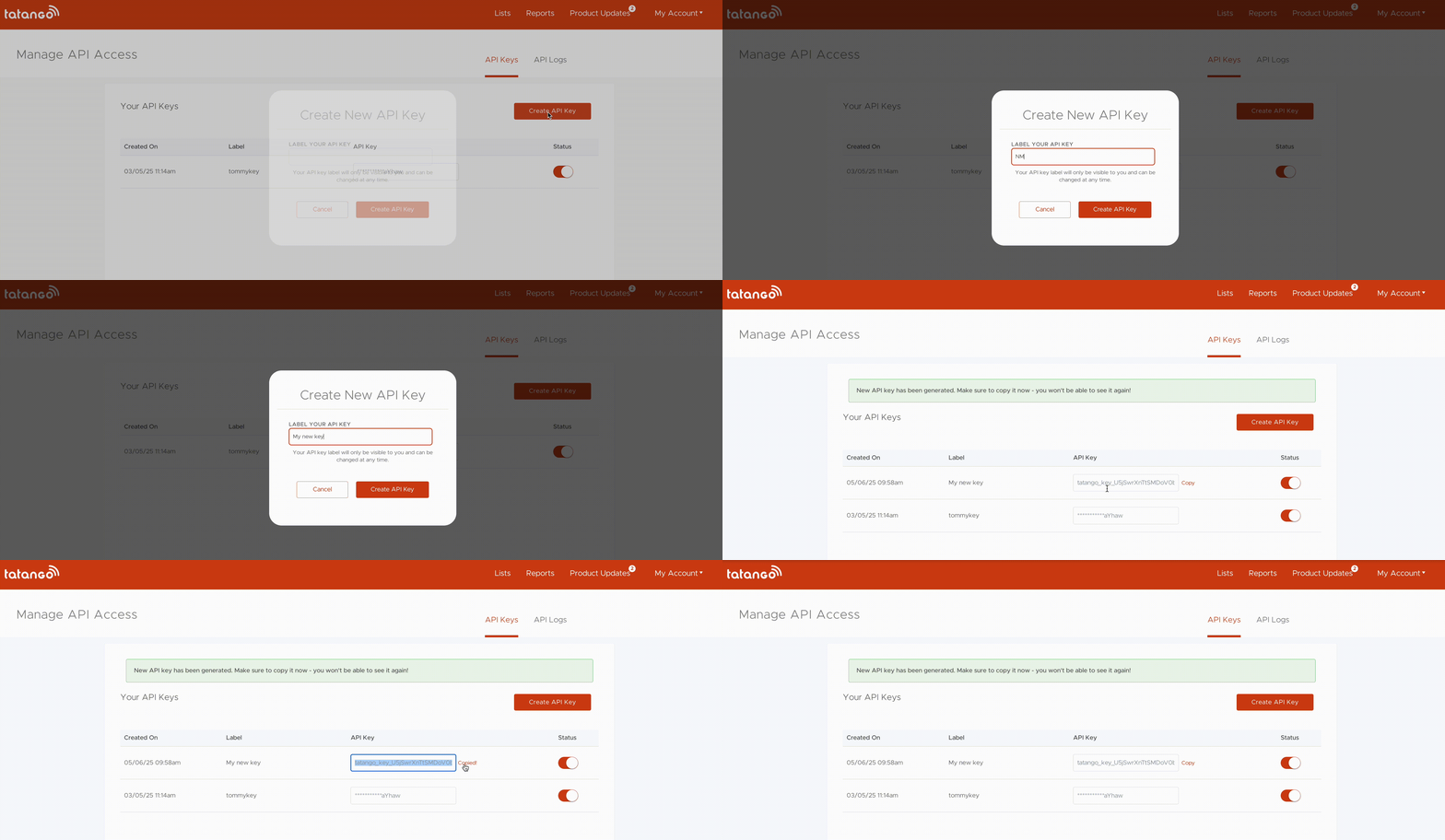
Response Codes
The momoGood Messaging API v3 uses standard HTTP codes to indicate the success or failure of your requests. In general, 2xx HTTP codes correspond to success, 4xx codes are for user-related failures, and 5xx codes are for infrastructure issues.| Status | Description |
|---|---|
| 200 | Successful request. |
| 202 | Successful request, and the request is being processed asynchronously. |
| 400 | Check that the request body’s parameters were correct. |
| 403 | The API key used was invalid or missing. |
| 404 | The resource was not found. Check the URL and HTTP method. |
| 429 | The rate limit was exceeded. |
| 5xx | Indicates an error with momoGood servers. If you receive this error repeatedly, please contact support. |